What changes when OpenAdapt runs a workflow
OpenAdapt does the last manual step of a task. It types approved information into the screens your team already uses, then checks that the record saved. Your staff, or the AI tools you already use, still decide what goes in.
Who does each step
| Step | Today | With OpenAdapt |
|---|---|---|
| Decide what goes in the record | Your staff, or an AI tool that reads the document | No change. OpenAdapt doesn't make this decision. |
| Open the right record | A staff member searches and checks by eye | OpenAdapt searches, then confirms it's the right patient or account before it types |
| Enter the information | A staff member types it into the EMR, portal, or desktop app | OpenAdapt types it into the same screens |
| Confirm it saved | Someone sees "Saved" and moves on | OpenAdapt reads the saved record back and compares it with what it meant to enter |
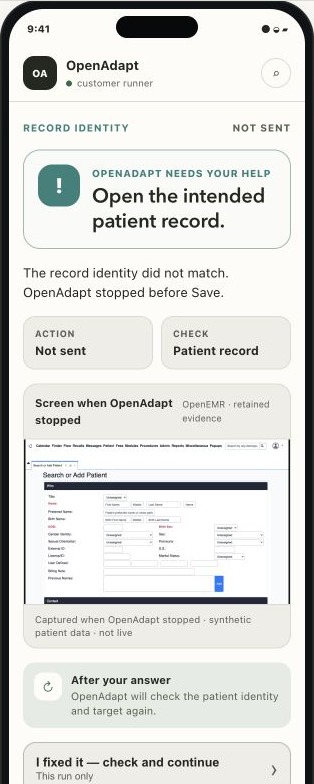
| Handle a mismatch | It may surface later, for example at booking or billing | OpenAdapt stops and asks a person |
You don't need to build a new integration in the EMR or portal. To read the record back, OpenAdapt needs a second way to look at it, such as a report, an API, or a read-only login. We set that up with you in the first project. Without one, OpenAdapt can only re-check the same screen. That's a weaker check, so the run can't end "Done and checked", and a person confirms the save instead.
Why it reads the saved record back
People enter data accurately most of the time, but not every time. A review of 93 clinical research papers put the error rate for single manual data entry at about 3 per 1,000 fields (Garza et al., 2023 preprint). In one study of 6,930 point-of-care glucose results that clinic staff typed in by hand, 3.7% didn't match the value the device sent electronically (Mays and Mathias, JAMIA, 2019).
A "Saved" message on screen doesn't prove the record changed, either. In OpenAdapt's own fault test, we injected faults such as lost, partial, and duplicate saves into a test system. Of 90 runs, 72 left the record wrong, and a check that trusted the success message passed 54 of those 72. That's a test over a fixed list of faults, not a real-world error rate (method and results).
What stays with your team
- Deciding what to enter, and any clinical or billing judgment.
- Answering the question when OpenAdapt stops.
- Approving the automation before it handles real work, and approving a fix when a screen changes.
- Work that an API can already do. If an API can make the change, we use the API.
Good first workflows
A task is a good first candidate when most of these are true:
- Your team does it the same way many times a week.
- The information to enter is already decided, by a person, a form, or an AI tool.
- The system has no practical way to accept the entry automatically.
- A wrong entry costs money, time, or compliance trouble.
- There's a second way to look up the saved record.
- One person can show the task from start to finish.
Read next
- Four workflows, before and after shows referral entry, billing audit evidence, eligibility checks, and claim status, with sourced time figures where a published study exists.
- What you see and control covers how runs end, receipts, stops, and approvals.
- Security and where data stays is the page to share with your privacy or IT lead.
- How a first project works goes from the first call to daily use.
- The plain-language glossary maps these terms to the ones the technical pages use.
To talk about one workflow, tell us about it.